

Screenshots
 1 / 2
1 / 2The Story
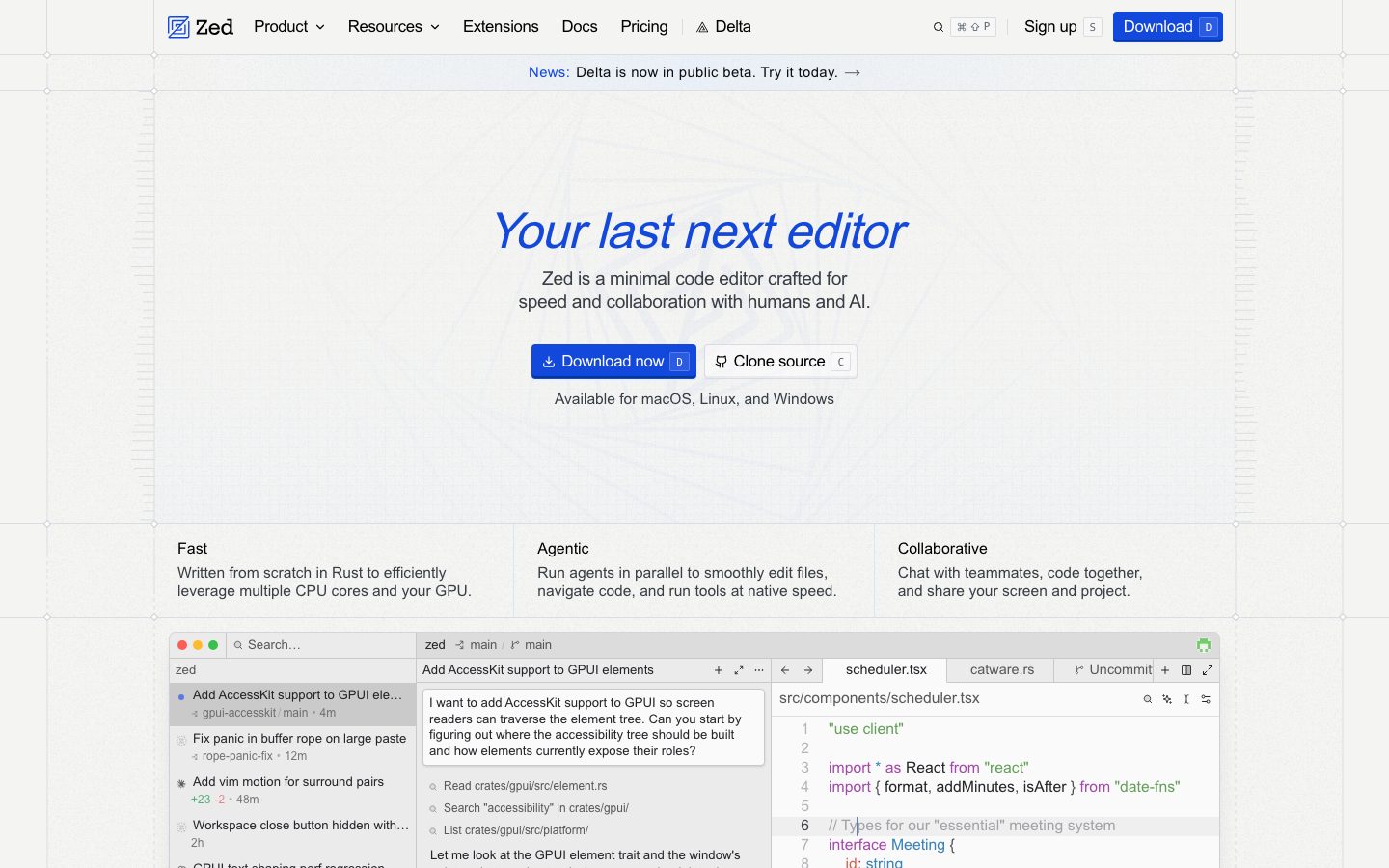
Zed is a code editor written in Rust and rendered on the GPU. The performance goal is the product's identity: startup, scrolling, and search are fast enough that the editor stays out of the way on very large files.
The second distinguishing feature is collaboration. A shared project gives other people the same buffer, cursor, and terminal, so pairing is a mode of the editor rather than a separate screen-share. Channels let a team keep a persistent room for a project.
Zed is open source. The editor itself is published in a public repository, and the collaboration service is the commercial layer. That split - an open editor with a hosted service on top - is the same pattern several developer tools use, and it means the editing experience can be inspected and self-built while the multiplayer backend remains a paid product.
Overview
Zed pairs a performance-first editor core with collaboration as a native mode.
The editor renders on the GPU and is written in Rust, which is what makes large-file scrolling and project-wide search feel immediate. The rendering layer is a custom GPU pipeline rather than a web view.
Collaboration shares the buffer, not a video stream. A guest in a shared project sees the same file, the same cursor positions, and can be handed the terminal. That makes pairing a mode of the editor rather than a separate application.
The editor is open source in a public repository. The hosted collaboration service is the commercial layer, so a team that only wants the editor can build it from source.
Key Features
- GPU rendering
The editor draws on the GPU, which keeps scrolling and search responsive on large files.
- Shared buffers
Collaborators see the same file and cursor positions rather than a screen share.
- Shared terminal
The terminal can be handed to a collaborator inside the same session.
- Open-source editor
The editor is published in a public repository, with the collaboration service as the commercial layer.
Where Zed is a strong choice, and where it is not
Choose Zed if editor responsiveness is something you notice, or if you pair often and want shared buffers instead of a screen share.
Look elsewhere if you depend on a specific VS Code extension that has no equivalent, or if you need a Windows build today.
Getting started
The editor opens instantly; the assistant needs a provider configured before it is useful.
- ~2 minTime to first edit
Install and open a folder. Startup is fast enough that there is no perceptible load step.
- FreeCost to start
The editor is free and open source. AI features require your own API key or a paid plan.
- NothingPrerequisites
An account for collaboration features. Local editing needs nothing.
Known limitations
Constraints confirmed from the project's documentation.
- Smaller extension ecosystem. The plugin set is far behind VS Code's, so a workflow that depends on a specific extension may not be available.
- AI features need a key. The editor does not bundle a model; you supply an API key or subscribe.
- Younger project. Fewer years of edge-case hardening than the established editors, which occasionally shows in unusual setups.
- Collaboration requires an account. Real-time shared editing is tied to the vendor's service.
Pick Zed if editor latency is the thing that bothers you
The product is built on a GPU-accelerated rendering path, and the difference is most obvious on large files and slow machines.
Most editors are fast enough that performance is not a decision criterion. Zed is for the cases where it is: very large files, older hardware, or a workflow where input latency is felt constantly.
The cost is ecosystem. If your setup depends on a specific VS Code extension, check that an equivalent exists before switching.
FAQ
What is Zed?
Zed is a code editor written in Rust with GPU rendering and built-in collaborative editing.
Is Zed open source?
Yes. The editor is published in a public repository. The hosted collaboration service is a separate commercial product.
Is Zed free?
Zed lists a free tier with paid plans for the hosted collaboration service. Check the pricing page for current terms.
What platforms does Zed run on?
Zed ships for macOS and Linux, with Windows support in progress. Check the documentation for current platform support.
What is Zed written in?
Zed is written in Rust, with a custom GPU rendering pipeline.
What we checked
- LIVESite and primary link
The marketing site resolved and the primary product link reached the product itself.
- PRICINGPricing page
The pricing page resolved and lists the current plans and limits.
- DOCSDocumentation
Public documentation resolved and covers the product's core surfaces.
- SOURCESource page
The linked source page resolved and is reachable without an account.
Discussion
No comments yet. Be the first.
Join the conversation. Sign up to comment.
Sign up free