
Screenshots
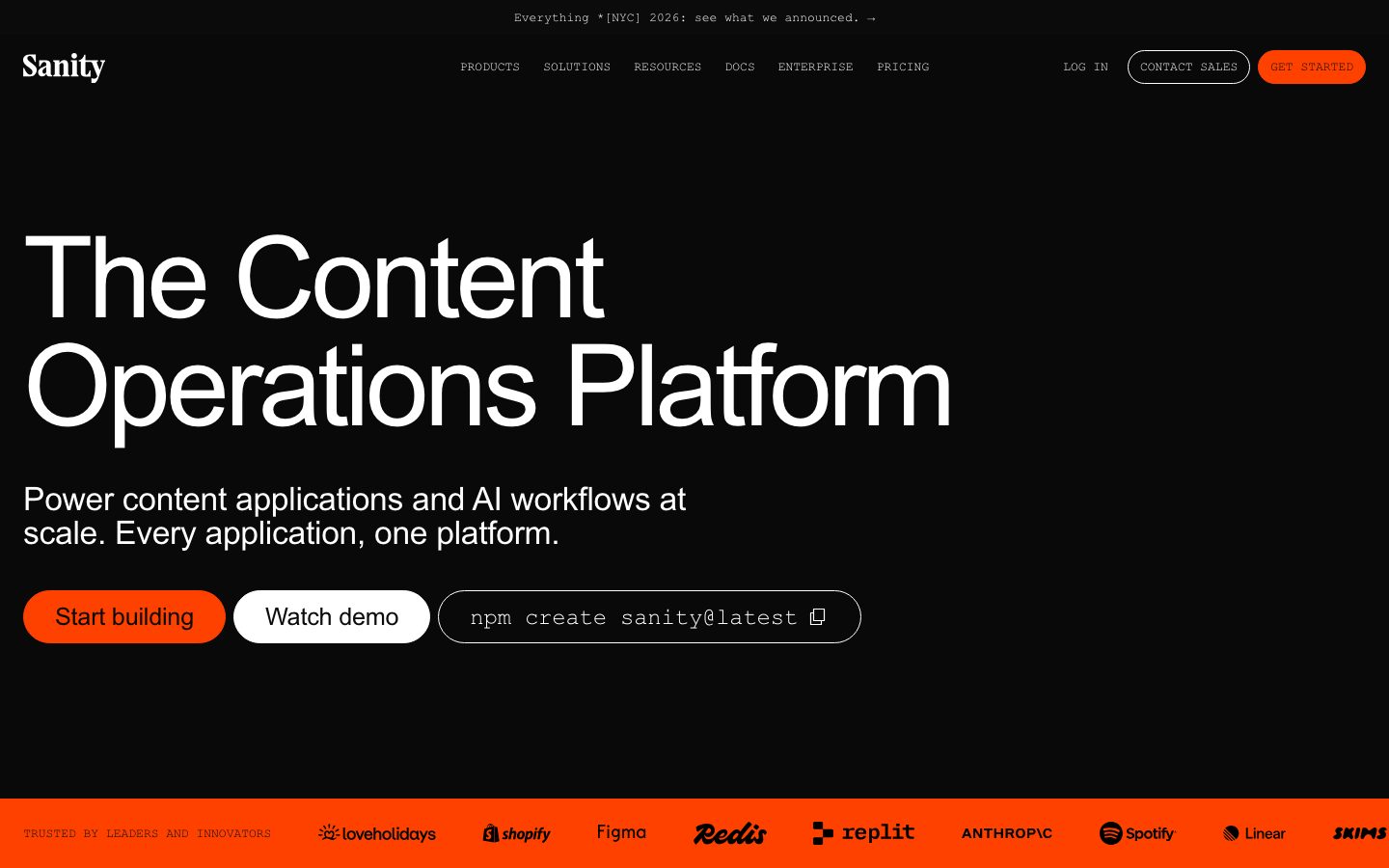 1 / 2
1 / 2The Story
Sanity is a content platform built around structured documents rather than pages. Content is stored as typed documents with references between them, and the editing interface is configured in code to match that model.
The Studio is the distinguishing piece. It is a React application that a team configures and deploys, so the editing experience can be shaped to a content model - custom field components, validation, and previews - rather than accepting a fixed admin panel. The content itself is served through a query API over the Content Lake.
Because content is structured, the same document can render into a website, a mobile application, and a feed without duplication. References between documents are resolved by the API rather than by embedding copies, which is what keeps a change in one place from drifting across surfaces.
Overview
Sanity stores documents, and lets a team shape the editor that writes them.
Content is a set of typed documents with references between them. A page is a document that references other documents rather than a blob of HTML, so the same content can be rendered by a website, an app, and a feed.
The Studio is a React application configured in code. A team defines the schema, and can add custom field components, validation rules, and previews. The editing experience is therefore part of the codebase and can be reviewed like it.
Content is read through a query API. References are resolved at query time, so a change to a referenced document appears everywhere it is used instead of being copied into each surface.
What you get free, and what changes when you pay
| Feature | Free | Growth | Enterprise |
|---|---|---|---|
| Free viewers | Included | Included | Included |
| User Attributes | Not included — | Not included — | Included |
| # roles available | 2 | 5 | Custom |
| Administrator | Included | Included | Included |
| Viewer | Included | Included | Included |
| Editor | Not included — | Included | Included |
| Developer | Not included — | Included | Included |
| Contributor | Not included — | Included | Included |
| Custom roles | Not included — | Not included — | Included |
| Datasets | 2 | 2 | Custom |
| Additional datasets | Not included — | $999 per dataset (Add-On) | Custom |
| Documents | 10k | 25k | Custom |
| Additional documents | Not included — | $299 for 50k in total (Add-On) | Custom |
| Unique attributes (per dataset) | 2k | 10k | Custom |
| GROQ-powered webhooks | 2 | 4 | Custom |
| API CDN requests (per month) | 1m | 1m | Custom |
| Additional requests | Not included — | $1 per 250k | Custom |
| API requests (per month) | 250k | 250k | Custom |
| Additional requests | Not included — | $1 per 25k | Custom |
| Assets | 100GB | 100GB | Custom |
Read from the vendor's pricing page · checked 2026-09-21 · Prices change; confirm before you buy.
Key Features
- Structured documents
Content is typed documents with references, not page blobs.
- Configurable Studio
The editing interface is a React application configured in code and deployed by the team.
- Query API
Content is read through an API that resolves references at query time.
- Open-source tooling
The Studio and client libraries are published in public repositories.
Where Sanity is a strong choice, and where it is not
Choose Sanity if your content is structured and reused across several surfaces, and you want to shape the editing experience rather than accept a fixed admin panel.
Look elsewhere if you want a hosted CMS with no front-end deployment of your own, or if your content is simple enough that Markdown files in a repository already work.
Getting started
A studio runs locally in minutes; the schema design is the work that determines everything after.
- ~15 minTime to first document
Scaffold a project, define one document type, and the studio renders an editing form for it.
- FreeCost to start
The free tier covers a dataset with a monthly API allowance. Paid plans scale with usage.
- NodePrerequisites
Node.js to run the studio locally. The content API is hosted.
Known limitations
Constraints confirmed from the platform's documentation.
- Schema changes are code changes. Editing the content model means a deploy, which is deliberate and slower than a UI-driven CMS.
- The studio is yours to build. The generated editor is a starting point; a tailored workflow is development work.
- Hosted content API. Content lives with the vendor, which matters for data residency requirements.
- Query language has a learning curve. The API is powerful and not a REST endpoint you can guess at.
Pick Sanity when the content model is non-trivial
It is for teams whose content does not fit a page-and-post shape, and who want the editing interface shaped to their workflow.
The differentiator is that the schema is code and the studio is a React application, so both can be versioned and customised.
If the requirement is a standard blog with a default editing form, a conventional CMS ships that without the setup work.
FAQ
What is Sanity?
Sanity is a structured content platform that stores typed documents and provides a code-configured React editing environment called the Studio.
Is Sanity free?
Sanity lists a free tier alongside usage-based paid plans. Check the pricing page for current limits.
Is the Sanity Studio open source?
The Studio and client libraries are published in public repositories. The hosted Content Lake is a separate service.
Can I customize the Sanity editing interface?
Yes. The Studio is a React application configured in code, so custom field components, validation, and previews can be added.
What stack is Sanity built with?
CompassPad records Sanity as a React and TypeScript Studio with a Node.js service layer and a query API, based on public documentation and repositories.
What we checked
- LIVESite and primary link
The marketing site resolved and the primary product link reached the product itself.
- PRICINGPricing page
The pricing page resolved and lists the current plans and limits.
- DOCSDocumentation
Public documentation resolved and covers the product's core surfaces.
- BLOGBlog page
The linked blog page resolved and is reachable without an account.
Discussion
No comments yet. Be the first.
Join the conversation. Sign up to comment.
Sign up free