
Excalidraw
Screenshots
 1 / 2
1 / 2The Story
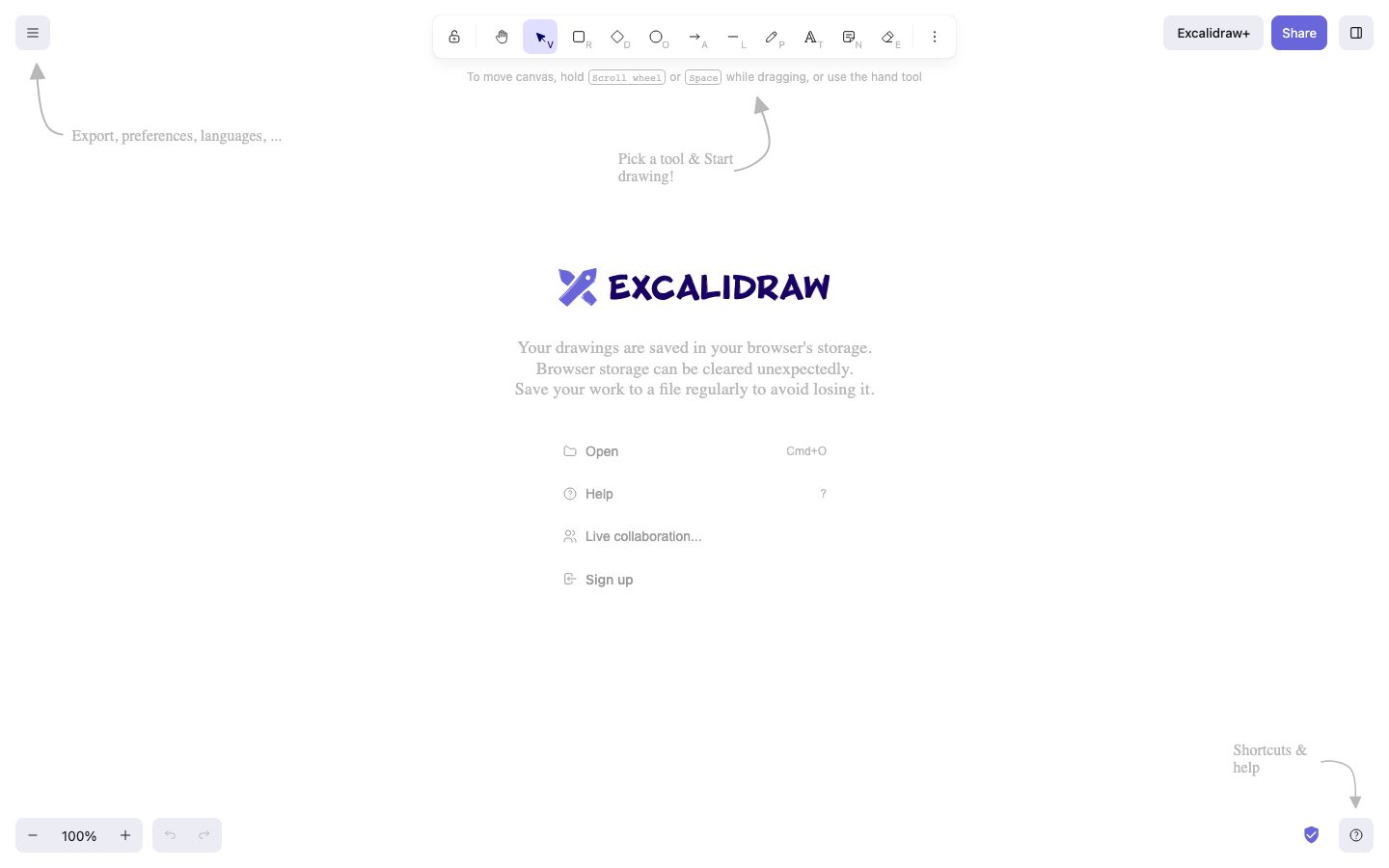
Excalidraw is a virtual whiteboard that renders shapes with a hand-drawn line style. The aesthetic is deliberate: a diagram that looks sketched reads as a work in progress, which changes how a team treats it during a discussion.
The product runs in the browser with no account required for a basic session. A drawing can be exported as an image or a file, shared through a link, and embedded in another page. For teams that need persistence and collaboration, an end-to-end encrypted room or a self-hosted deployment is available.
The source is published and the project is widely embedded: several documentation tools and editors use Excalidraw's component rather than building their own diagram surface. That reuse is the clearest evidence that the drawing layer is separable from the hosted app.
Overview
Excalidraw's aesthetic is a product decision, not a rendering limitation.
Shapes are drawn with a slightly irregular line, which makes a diagram read as provisional. In a review or a planning session that changes the tone: the diagram invites edits rather than presenting a finished specification.
The app runs in the browser and does not require an account for a basic session. Drawings export to image or file, and a shared link lets someone else open the same scene.
The drawing layer is published as a component as well as an application. Documentation tools and editors embed Excalidraw rather than building a diagram surface, which is the strongest signal that the canvas is separable from the hosted app.
Key Features
- Hand-drawn rendering
The line style makes a diagram read as provisional, which suits discussion and review.
- No account required
A basic drawing session runs in the browser without signing in.
- Embeddable component
The drawing surface is published as a component other products embed.
- Open-source core
The source is published in a public repository with a license file.
Where Excalidraw is a strong choice, and where it is not
Choose Excalidraw if you need a diagram to be understood quickly and edited by other people in the room, and you would rather not spend the session fighting a drawing tool.
Look elsewhere if you need precise, specification-grade diagrams with a strict shape library, or if you need a managed workspace with permissions and audit history.
Getting started
Drawing starts immediately; there is nothing to install or configure.
- ImmediateTime to first drawing
Open the site and draw. No account, no install, no onboarding.
- FreeCost to start
The editor is open source. The paid Plus service adds team libraries and persistent storage.
- NothingPrerequisites
A browser. An account is only needed for the paid collaboration features.
Known limitations
Constraints confirmed from the project's documentation.
- Not a precision design tool. There is no layout grid, typography control, or component system.
- Free drawings are stored in the browser. Without the paid service or an export, a drawing can be lost with browser data.
- Collaboration needs a link. Real-time editing works through a shared room, which is convenient and not access-controlled.
- Large diagrams get slow. A canvas with thousands of elements degrades, as with any browser-rendered scene.
Pick Excalidraw for sketches that should stay editable
The hand-drawn style signals that a diagram is a draft, which is often exactly the right message for an architecture sketch.
The scene is a JSON document rather than an image, so a diagram can be committed to a repository, reopened, and rendered by an application. That makes it useful beyond a one-off drawing.
If you need precision layout or a shared component library, a UI design tool is the right category.
FAQ
What is Excalidraw?
Excalidraw is a virtual whiteboard that runs in the browser and renders shapes with a hand-drawn line style.
Is Excalidraw free?
The open-source application is free to use and self-host. A paid hosted workspace is offered separately. Check the current site for terms.
Is Excalidraw open source?
Yes. The source is published in a public repository with a license file. Check the repository for current license terms.
Can I embed Excalidraw in my product?
Yes. The drawing surface is published as a component that other products embed. Check the documentation for the current package.
What stack is Excalidraw built with?
CompassPad records Excalidraw as a React and TypeScript application built with Vite, based on the public repository.
What we checked
- LIVESite and primary link
The marketing site resolved and the primary product link reached the product itself.
- DOCSDocumentation
Public documentation resolved and covers the product's core surfaces.
- SOURCESource page
The linked source page resolved and is reachable without an account.
Discussion
No comments yet. Be the first.
Join the conversation. Sign up to comment.
Sign up free